
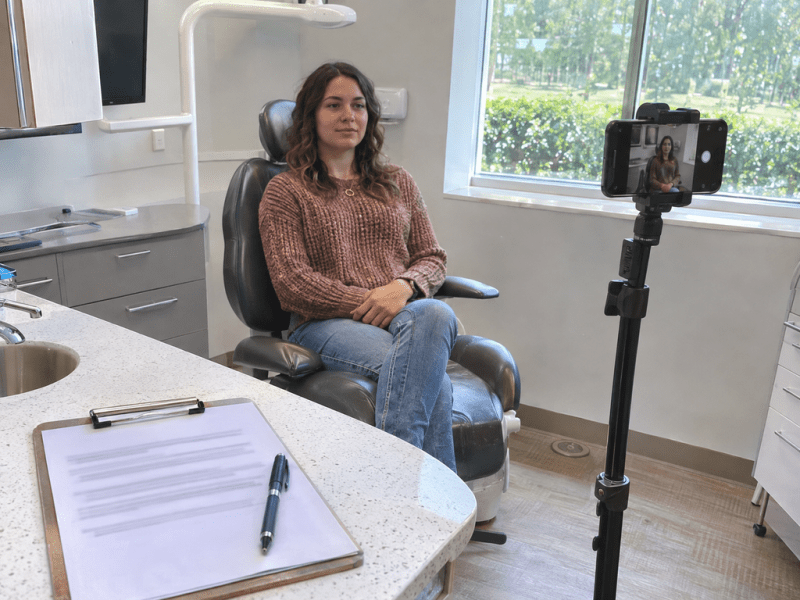
A photo taken to document treatment can look like a good fit for your website. Months later, someone might suggest using it in a paid ad. Each proposed use raises a question: What did the patient authorize, and who can access the image?
Using dental patient photos in marketing takes planning before anyone opens a camera app or uploads a file. Practices need to know who can access each photo, where it can appear, and what to do if its authorization expires or a patient asks for removal.
Here’s a practical workflow for dental teams. Have your privacy or legal advisor review how it applies to your practice and any state requirements.

Separate Clinical Photography From Marketing Use
A photo taken for a patient’s clinical record serves a different purpose from an image shared on a website, social feed, or ad. A patient’s willingness to be photographed during treatment does not by itself authorize marketing use.
Under the HIPAA Privacy Rule, a covered practice generally needs valid written authorization to use or disclose protected health information for marketing, subject to limited exceptions. Agreeing to pose or giving verbal permission does not substitute for written authorization when it’s required.
A valid authorization identifies the information, who may use or disclose it, who may receive it, the purpose, and an expiration date or event. It also includes the required signature, date, and notices, including information about written revocation. When a covered practice seeks the authorization from the individual, it must give them a copy of the signed form.
Give patients room to decline a marketing request. If someone else signs on a patient’s behalf, confirm that person’s authority before using the image. Clear to Launch’s guide to HIPAA-compliant marketing in dentistry covers the broader context.
Define Where the Photo Can Appear
Decide how you expect to use the photo before requesting authorization. A patient may be comfortable showing a treatment result on the practice website and have a different preference about appearing in a paid social ad.
Document the specific photo or set of photos, whether the patient’s name or story will appear, the purpose, and the channels in scope. Include the intended recipients and expiration terms as applicable. Share those limits with the people who will select, edit, and publish the image.
Example: A website photo is proposed for a paid ad. A practice has authorization to use a before-and-after pair on its cosmetic dentistry page. Later, the marketing team selects it for a paid campaign. The practice pauses the upload and checks the form. If the authorization covers website use only, keep the image out of the ad unless the new use is properly authorized. The team can use a different asset while it reviews the request.
Check Vendor Access Before the Shoot or File Transfer
Approval to publish an image and permission for a vendor to access protected health information are separate questions. Before a photographer, agency, or production team receives files or enters a treatment area, identify what they can see, hear, or receive.
If a vendor will handle protected health information on behalf of a covered practice, determine whether its role requires a business associate agreement. A business associate agreement does not replace patient authorization when authorization is required.
Prepare the space before the crew arrives. Clear schedules, labels, and charts from view, lock unattended screens, and keep other patients out of the shoot area. Check reflections and nearby conversations, too. Blurring a patient later does not undo an unauthorized disclosure that occurred during the shoot.
When working with a video and photo marketing partner, agree in advance on how files will be transferred, who can access them, and who approves the final image and caption.
Give Every Photo a Record the Team Can Check
The person scheduling a post may not be the person who took the photo. Give them a way to verify its status without guessing or searching through old emails.
- Store the image in an approved system. Limit access to the people who need it and use a secure reference to connect the photo with its authorization record.
- Record the limits. Note the approved purpose, channels, expiration date or event, and any restrictions.
- Review the complete placement. Check the photo, crop, caption, surrounding copy, and destination before publishing.
- Log where it appears. Record the page, post, or campaign so the team can find it later.
Inspect the full image at high resolution. A mouth-only crop may still be identifiable when it appears alongside a patient story, date, distinctive feature, or other context. If the team cannot confirm whether the image is identifiable or properly authorized for the proposed use, hold it for review.
Make Before-and-After Photos Accurate
Use comparable lighting, camera angles, distance, and framing. Avoid edits that exaggerate the difference, such as whitening one image or changing the shape of a tooth. Review the caption and headline with the image because the overall impression matters.
A genuine result can still give viewers the impression that most patients will see a similar outcome. If an ad conveys that impression, the practice needs evidence that the result is representative or a clear disclosure of what patients generally can expect, supported by evidence. A generic “results may vary” line does not fix a misleading impression. If you can’t support the claim or explain it accurately, choose another asset.
For ideas on how photos fit into a broader campaign, see our guide to visual content for cosmetic dental practices.
Know What to Do When a Patient Asks for Removal
Give staff a clear way to route removal requests to the person responsible for the image. A HIPAA authorization must explain the right to revoke in writing and how to do so, or refer to the practice’s privacy notice for that information. Written revocation generally does not undo actions the covered practice already took in reliance on a valid authorization.
When a request comes in, log it and review its scope. Use the placement record to locate the image, stop future use as appropriate, address placements the practice controls, and notify vendors who manage those placements. Record what the team did and follow up on any remaining copies it can address.
A public image may have been copied or reshared. Explain what the practice can remove without promising that every copy will disappear.
Plan Your Dental Photo Marketing Strategy
A shared photo workflow helps your dental marketing team choose useful images and gives staff a clear point to pause when a proposed use falls outside what the patient authorized.
Clear to Launch Healthcare Marketing helps practices plan and produce visual content for their websites, social channels, and campaigns. Start by deciding what the images need to communicate and how your team will review them before publication.
Plan Your Dental Photo Marketing Strategy with Clear to Launch Healthcare Marketing.


