
Resource of the Week Blog: Content Shot List for Healthcare Practices
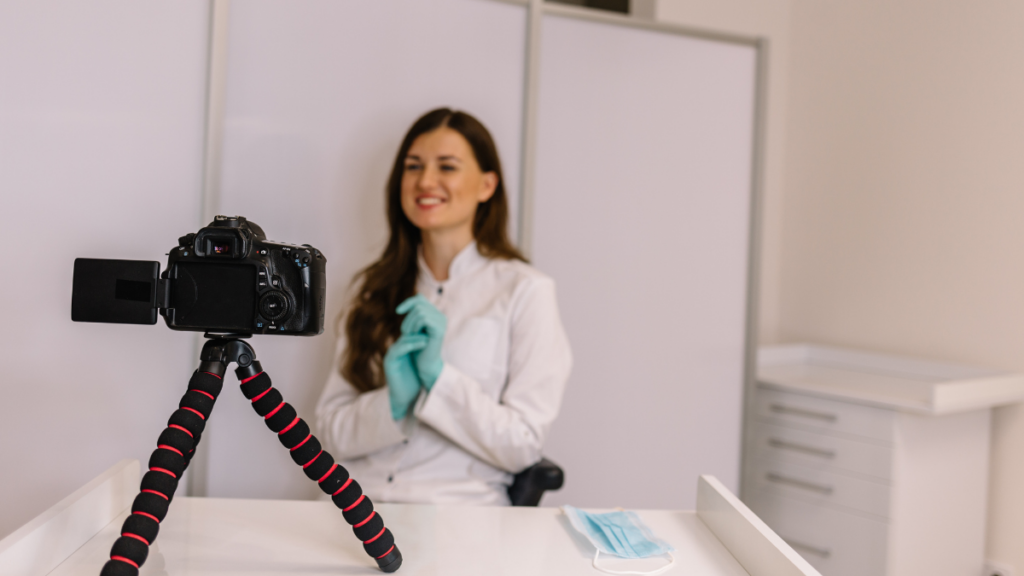
Key Takeaways
- Every healthcare practice needs more than a logo and a few team photos. A strong content library should include branding photos, in-office shots, office tour video, meet the doctor video, first-visit content, patient POV video, technology footage, testimonials, and before-and-after visuals.
- High-quality visuals help practices build trust quickly, reduce patient hesitation, humanize the team, improve marketing performance, and stand out from competitors using stock imagery.
- The best shot lists combine still photography and video so the practice has content for its website, ads, social media, and ongoing campaigns.
- Real, custom visuals usually do a better job communicating the actual experience of the practice than generic stock assets.
- A planned shot list makes content days more efficient and helps the practice leave with useful assets instead of random photos that do not support growth.
A strong content shot list for a healthcare practice should include the photos and videos that help patients trust the practice before they ever walk in. That means capturing branding photos, in-office interactions, an office tour, a meet the doctor video, a first-visit explainer, patient point-of-view footage, technology highlights, testimonials, and before-and-after content where appropriate. Those assets matter because they make the practice feel more credible, more human, and easier to choose.
Too often, practices treat content creation like a one-off task. Someone grabs a few headshots, takes a handful of office photos, and assumes that will cover the website, ads, and social media for the next year. It rarely works that way. The better approach is to plan content intentionally so every shoot produces assets that support real patient decision-making. At Clear to Launch Healthcare Marketing, we see photo and video content as a foundational growth tool, not just a branding extra. Clear to Launch’s current service offerings include healthcare video and photo marketing, branding, and healthcare websites, which makes this kind of planned shot list especially valuable for practices trying to build a stronger digital presence.
Why High-Quality Content Matters More Than Most Practices Think
The source guide is clear about why quality visuals matter. First, they build trust quickly. Strong visuals make the practice look credible, professional, and established. That first impression matters because patients often decide whether a practice feels trustworthy long before they call or book.
Second, good photo and video content reduces patient hesitation. The more clearly a practice can show its people, space, and experience, the easier it is for a prospective patient to picture themselves there. That familiarity lowers anxiety, especially for someone visiting a new office or feeling uncertain about care.
Third, real content humanizes the practice. Patients do not just want to know that a practice exists. They want to feel connected to the doctor, team, and environment. A real headshot, a welcoming front desk interaction, a doctor speaking on camera, or a patient testimonial does far more to communicate personality than a generic stock image ever could.
The guide also points out that stronger visuals improve marketing performance and set the practice apart. Better creative can increase engagement across the website, ads, and social media, while custom content makes the brand feel more premium and memorable than competitors relying on stock imagery. That is one of the biggest reasons Clear to Launch emphasizes custom visuals in healthcare marketing: they do not just make the practice look better, they make the marketing work harder.
Start With the Photography Essentials
A strong content library begins with photography. The guide breaks the photo list into branding essentials and in-office shots, which is the right structure because both types serve different purposes. Branding visuals shape the first impression. In-office visuals reinforce the real experience.
Capture the Core Brand Images First
The first must-have is the doctor professional headshot. The guide recommends a clean, office-based headshot that presents the doctor in a polished and credible way. This is a basic asset, but it carries a lot of weight because it often appears on the homepage, about page, directory listings, and marketing materials.
The next priority is the doctor lifestyle or family photo. The guide specifically notes that this humanizes the doctor and makes them more relatable. That is a smart addition because patients do not choose healthcare providers only on credentials. They also respond to warmth, personality, and relatability. A professional practice does not need to feel cold.
The guide also encourages practices to photograph anything unique to the office. Its examples include neon-colored shoes, mirrored sunglasses for patients, a saltwater fish tank, or heated or massaging exam chairs. The deeper point is that unique brand touches should be documented visually. If something makes the experience memorable, it should not live only in conversation. It should become part of the practice’s visual identity.
Then Build the In-Office Photo Library
From there, the focus expands to the everyday experience inside the office. The guide calls for front desk interaction shots, patients in the chair, a dental team group photo, a consultation with the doctor, technology in use, and patient-staff interaction.
These are valuable because they show how the practice actually feels. The front desk greeting communicates warmth. Consultation photos communicate clarity and professionalism. Team images show the people behind the care. Technology shots communicate modern capability. Patient-staff interaction helps the office feel less clinical and more welcoming. None of these images need to be overproduced. They just need to feel real, clean, and consistent with the brand.
The Videos Every Practice Should Prioritize
If photography builds the foundation, video brings the practice experience to life. The shot list in the guide prioritizes six types of video content, each with a different role in reducing hesitation and building trust.
1. Office Tour Video
The office tour is one of the most practical videos a practice can make. The guide describes it as a quick introductory walkthrough of the practice showing the signage, front desk, waiting area, staff greeting patients, and the doctor or team describing the office. The talking point is simple: explain the unique experience of the practice.
This kind of video works because it removes uncertainty. Many patients want to know what the office feels like before they arrive. An office tour helps them visualize the environment, which can make the first visit feel more approachable.
2. Meet the Doctor Video
The meet the doctor video is a more personal introduction. The guide recommends showing the doctor reviewing x-rays or CBCT, interacting with patients or team members, performing procedures, and sitting down to talk to the camera. It also suggests that the doctor speak about their approach to care and what they do in their personal life.
That combination matters. Credentials alone do not always build connection. Patients also want to know how a doctor thinks, how they communicate, and whether they seem approachable. This video gives them that chance.
3. What to Expect on the First Visit
The what to expect video is one of the most valuable assets for reducing anxiety. The guide positions it as a step-by-step explanation of a new patient’s first visit, with shots of check-in, staff explanations, consultation, and a friendly goodbye. The talking point is to explain the full visit from start to finish and address common concerns so patients feel more at home.
This is especially useful for patients who are nervous, new to the practice, or simply unsure of the process. A short video can answer questions before they have to ask them.
4. Patient’s POV Video
The patient’s POV video is more immersive. The guide outlines a first-person experience beginning at check-in, moving through the waiting room, showing the hygienist explaining the cleaning process, the dentist entering warmly, visual aids on screens or models, and the checkout experience with a goodie bag. The suggested voiceover focuses on professionalism, technology, and thoroughness.
This is a strong example of content that helps patients imagine the visit from their own perspective. Instead of just being told the office is welcoming, they get to see what that experience feels like.
5. Technology and Equipment Video
The technology and equipment video is designed to show the advanced tools the practice uses to provide care. The guide mentions digital x-ray machines, CAD/CAM, CBCT, intraoral cameras, close-ups of screens with 3D scans, and the doctor using technology with a patient. The talking point is to explain how the technology benefits the patient and improves the experience.
This type of content works best when it translates equipment into patient benefit. The machine itself is not the point. The patient outcome is the point. The visuals help prove the office is modern, but the explanation should make clear why that matters.
6. Testimonials and Before-and-After Content
The guide finishes with patient testimonials and before-and-after transformations. For testimonials, it recommends interview-style patient clips, supporting footage of patient-staff interaction, and a story structure that covers the initial issue, the solution, and the impact of treatment. For before-and-after content, it calls for visual results, the doctor explaining procedures like whitening, veneers, implants, or dentures, and the patient showing off their new smile.
These assets are powerful because they show evidence, not just claims. A practice can talk about quality all day, but real patient stories and visible outcomes make the message more believable.
How to Use the Shot List Across Marketing Channels
The real value of a shot list is not just the content day itself. It is what happens afterward. A well-planned content library gives the practice reusable assets for its website, ads, and social media – the exact channels the guide highlights when discussing marketing performance.
A headshot can be used on the homepage, doctor bio page, directory profiles, and local listings. A consultation photo can support service pages and social posts. An office tour video can live on the website, on social media, and in paid campaigns. A first-visit video can reduce friction on a new patient page. Technology footage can support service marketing. Testimonials can strengthen landing pages and ad creative. Before-and-after content can support treatment pages and conversion-focused campaigns where appropriate.
This is also where planning becomes efficiency. Instead of capturing random footage with no clear use, the practice leaves the shoot with assets mapped to real marketing needs. That is the difference between “we took some nice pictures” and “we built a content library that supports growth.”
How Clear to Launch Approaches Content Planning
At Clear to Launch Healthcare Marketing, we treat content planning as part of the bigger marketing system. Content should support the website, strengthen trust signals, improve ad creative, and give the brand a more memorable presence across channels. That is why Clear to Launch’s live service pages connect video and photo marketing with branding, websites, ads, and broader healthcare growth strategy.
A strong content day is not about filming everything possible. It is about prioritizing the assets that will actually move the brand forward. A structured shot list makes that possible.
Final Thoughts
Every healthcare practice needs a better content library than a few stock images and one team photo. The strongest visual libraries are planned around trust, comfort, clarity, and differentiation. That is exactly what this shot list is designed to do. Start with the foundational photos, prioritize the highest-value videos, and create assets that reflect the real people and real experience behind the practice.
When a practice has the right visuals in place, patients can picture the office more clearly, feel more comfortable before they arrive, and connect more easily with the brand. That is why a strong content shot list is not just a creative exercise. It is a practical growth tool. If you want help turning that shot list into content that actually supports your website, ads, and brand, Clear to Launch Healthcare Marketing offers dedicated video and photo marketing services for healthcare practices.
- Real photo and video content helps build trust faster than generic stock visuals.
- The highest-priority assets include branding photos, in-office interactions, office tour, meet the doctor, first-visit, patient POV, technology, testimonials, and before-and-after content.
- The best content libraries are planned around actual website, ad, and social media needs.
- Great visuals do more than look polished – they reduce hesitation and make the practice feel more human.
- A structured shot list helps practices leave a content day with assets that support real growth.
The Last Marketing Agency You'll Hire
Proven. Reliable. Experts.
Do You Want:
- A schedule full of your ideal patients
- To reach your goals faster
- Maximum return on marketing investment
- Clear visibility into what is working(and whats not)
- A proven plan, not hope
- An agency that does all the work for you
Content Shot List FAQ
What is a healthcare content shot list?
A healthcare content shot list is a planned list of the photos and videos a practice should capture to support its brand, website, ads, and social media. In this guide, it includes branding photos, in-office shots, office tours, doctor videos, first-visit explainers, testimonials, technology content, and before-and-after visuals.
Why does high-quality photo and video content matter for a practice?
High-quality visuals help a practice look more credible, professional, and established. They also reduce hesitation, humanize the team, improve engagement across marketing channels, and help the brand stand out from competitors using generic stock imagery.
What photos should every healthcare practice capture first?
The guide prioritizes doctor headshots, lifestyle or family photos, anything unique about the office, front desk interactions, team photos, consultations, technology-in-use shots, and patient-staff interactions. These create a strong core image library that can be used across the website and marketing materials.
What should an office tour video include?
An office tour video should show the practice signage, front desk, waiting area, staff greeting patients, and the doctor or team describing the practice experience. The goal is to give potential patients a welcoming first impression before they visit in person.
What is a meet the doctor video supposed to do?
A meet the doctor video introduces the lead doctor, highlights expertise and care philosophy, and shows some personality outside of clinical credentials alone. The guide recommends combining talking-to-camera footage with real interactions, case review moments, and team or patient scenes.
Why is a first-visit video useful?
A first-visit video helps reduce anxiety by walking new patients through the process before they arrive. It can show check-in, explanations from staff, the consultation, and a friendly wrap-up so the experience feels more familiar and less intimidating.
What is a patient’s POV video?
A patient’s POV video is a first-person-style walkthrough of a routine visit, such as an exam and cleaning. It helps viewers imagine the experience from check-in to checkout while emphasizing professionalism, technology, and thorough care.
How should a practice showcase technology and equipment?
The guide recommends filming key equipment, close-ups of screens and scans, and real moments where the doctor uses the technology with a patient. The talking points should explain how the technology benefits the patient and improves the experience.
What makes a strong patient testimonial video?
A strong testimonial includes interview-style clips of real patients, supporting footage of patient-staff interaction, and a clear story about the initial problem, the solution provided, and the result or impact of treatment.
What should before-and-after content show?
Before-and-after content should highlight visual transformation and connect it to the doctor’s recommendation and the patient’s outcome. The guide specifically points to cosmetic and restorative examples supported by photos, doctor explanation, and the patient showing their new smile.