Prospective patients often visit a dental practice’s website with questions before they are ready to schedule. They may want to know whether the practice accepts new patients, treats children, offers emergency appointments, or participates with their insurance plan.
When those answers are difficult to find, some visitors may leave the website without contacting the practice.
Website chat can give visitors another way to ask general questions, request appointments, and connect with the dental team. However, it also creates responsibilities involving staffing, response times, privacy, follow-up, and workflow management.
Website chat for dentists should support a clear patient communication or business goal. Before adding it, practices should consider both the potential benefits and the work required to manage it successfully.
What Type of Website Chat Are You Considering?
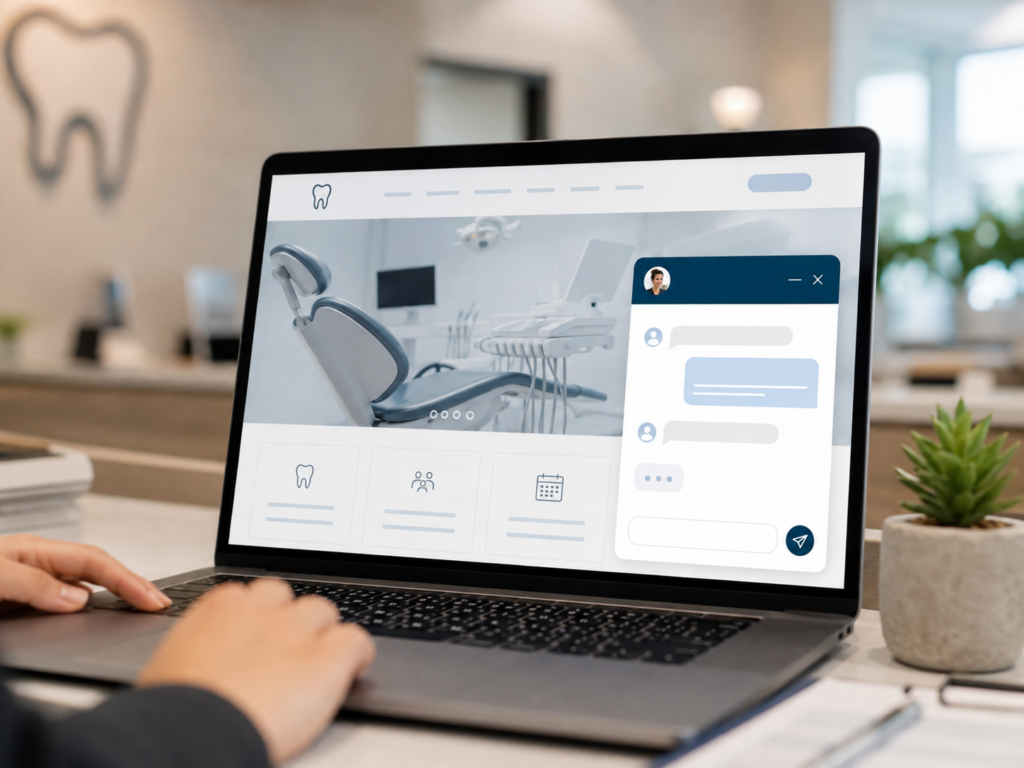
Website chat allows visitors to communicate with a dental practice through a chat window on its website.
Different platforms may use:
- Live chat handled by team members
- Automated chatbots
- AI-assisted responses
- A combination of live and automated support
Live chat connects visitors with a person during available hours. Automated chat may answer predefined questions, direct visitors to helpful pages, or collect contact information. AI-assisted tools may respond to a wider range of questions based on the information they are given.
The type of chat matters because each option involves different expectations, staffing needs, limitations, and privacy concerns.
Chat usually works best as an additional communication option. It should not automatically replace phone calls, contact forms, appointment requests, or secure patient communication tools.
How Can Website Chat Help Prospective Patients?
Some prospective patients prefer not to make a phone call as their first interaction with a dental office. Chat can provide a lower-pressure way to ask a simple question or learn what to do next.
Website chat may help visitors:
- Find office hours or location information
- Learn how to become a new patient
- Ask general questions about services
- Request an appointment
- Locate the correct page on the website
- Identify the best way to contact the office
Making information easier to access may improve the website experience and reduce the chance that visitors leave because they cannot find an answer.
Chat should not replace clear website content. If visitors repeatedly ask the same questions, the practice may need to improve its service pages, navigation, new-patient information, or FAQs.
Chat conversations can therefore reveal where the website may be creating confusion.
Can Website Chat Create More Appointment Opportunities?
Chat can guide qualified visitors toward a useful next step, such as calling the office, completing an appointment request, or visiting a relevant service page.
This may be helpful when a simple unanswered question is preventing someone from contacting the practice. For example, a prospective patient may want to confirm that the office is accepting new patients before submitting a request.
However, conversation volume should not automatically be treated as a marketing result.
Practices should evaluate whether chat produces:
- Qualified patient inquiries
- Appointment requests
- Booked appointments
- Completed visits
- Useful insights for improving the website
A high number of conversations does not necessarily mean the feature is creating meaningful opportunities. The quality of the inquiries and what happens after each conversation matter more than volume alone.
Does Your Team Have Time to Manage Chat?
Website chat may create frustration when visitors expect a quick response but receive no answer.
Before adding it, practices should decide:
- Who will monitor conversations
- When chat will be available
- How quickly the team should respond
- Who will handle missed or after-hours messages
- When a conversation should move to a phone call
- How inquiries will be documented and followed up on
Without clear ownership, chat can become another inbox that team members check inconsistently.
Practices with limited staffing may benefit more from improving existing communication channels first. Faster form responses, stronger call handling, clearer website content, or a simpler appointment-request process may provide more value than adding another tool.
If live support is only available during certain hours, the website should state that clearly. Visitors should also know whether they are communicating with a person, an automated tool, or a system collecting information for later follow-up.
What Information Should Website Chat Handle?
Website chat is generally best suited for simple, non-clinical questions.
Appropriate topics may include:
- Office hours and location
- General service information
- New-patient procedures
- Appointment requests
- Insurance participation
- Directions to useful website pages
Chat should not encourage visitors to share detailed medical or dental information through an unsecured conversation.
Questions about symptoms, diagnoses, treatment recommendations, medications, or health history should usually move to a more appropriate communication channel.
Before implementation, practices should understand:
- How conversations are stored
- Who can access chat records
- What information the platform collects
- Whether third parties help answer messages
- When communication should move to a secure channel
Privacy should be considered before the practice begins receiving messages, not after a concern occurs.
How Will Chat Fit Into Your Existing Workflow?
Website chat becomes another communication channel alongside phone calls, forms, email, text messages, and patient portals.
The practice should determine how chat inquiries will be:
- Assigned
- Documented
- Followed up on
- Connected to appointment requests
- Tracked for marketing purposes
- Escalated when a clinical or urgent issue arises
A prospective patient should not have to repeat the same information to several team members because chat is disconnected from the office workflow.
The practice should also determine how chat will work with its scheduling and lead-tracking processes. Clear procedures reduce the risk of missed messages, duplicate follow-up, and inconsistent answers.
What Should You Decide Before Launching Chat?
Before choosing a platform, practice leaders should identify the problem they want chat to solve.
Start with five questions:
- What questions or communication problems would chat address?
- Is someone available to respond consistently?
- What response time can the practice realistically maintain?
- How will appointment opportunities and follow-up be tracked?
- What information should not be discussed through chat?
These questions help prevent a practice from selecting technology before defining its needs.
The decision should begin with the patient or operational problem, not the software.
How Can You Use Website Chat Effectively?
If chat aligns with the practice’s goals and resources, a clear implementation plan can improve the experience for both visitors and the dental team.
Set Clear Response Expectations
Tell visitors when live support is available and when they can expect a response. If no one is available, provide another way to contact the practice.
Keep Answers Simple and Accurate
Use chat for general information and next steps. Avoid detailed treatment discussions or personalized recommendations.
Assign Clear Ownership
Choose who will monitor messages, handle follow-up, and review unresolved inquiries.
Create Escalation Guidelines
Team members should know when to move a conversation to a phone call, appointment request, clinical staff member, or secure communication channel.
Review Common Questions
Repeated questions may reveal missing information or opportunities to improve website navigation and content.
Measure Meaningful Results
Review more than conversation volume. Useful measurements may include:
- Qualified patient inquiries
- Response times
- Missed conversations
- Appointment requests
- Booked appointments
- Follow-up completion
- Frequently asked questions
- Pages where chats begin
The practice should also consider whether chat reduces repetitive phone questions or simply creates more work. These findings can help determine whether the feature should be continued, adjusted, or removed.
When Might Website Chat Not Be a Good Fit?
Chat may not be the right choice when:
- The team cannot respond consistently
- Staffing is already limited
- Existing calls and forms are not followed up on effectively
- The website receives little traffic
- Privacy and escalation procedures have not been defined
- Chat would duplicate existing tools without solving a clear problem
- The expected value does not justify the platform and staffing costs
In these situations, improving the existing website or communication process may be a better first step.
The practice may benefit more from clearer new-patient information, stronger service pages, a simpler appointment form, or better phone follow-up.
Adding technology does not automatically improve the patient experience. The tool must be supported by the team and integrated into the way the practice operates.
Should Your Dental Practice Add Website Chat?
There is no universal answer.
Website chat may be a good fit for a practice that receives frequent website inquiries, has team members available to respond, and wants to provide another convenient communication option.
It may be less useful for a practice with limited staffing, inconsistent follow-up, low website traffic, or existing communication problems that should be addressed first.
The decision should be based on:
- The problem the practice wants to solve
- Patient communication preferences
- Website traffic
- Staffing and response capacity
- Privacy considerations
- Workflow readiness
- Appointment availability
- Expected business value
The goal is not to add more features. It is to choose tools that improve the patient experience and support the practice’s operations.
Make Website Chat Part of a Larger Strategy
Website chat works best when it supports a clear website and patient communication strategy.
A strong healthcare website should already provide helpful service information, easy navigation, clear calls to action, and convenient ways to contact the practice. Chat can complement those elements, but it cannot replace them.
Practices should also consider how chat supports broader business and marketing goals. Clear To Launch’s 3-Step Modern Healthcare Marketing Plan can help connect website decisions with a larger growth strategy.
Clear To Launch helps dental and healthcare practices evaluate website features based on patient experience, operational readiness, and measurable outcomes.
Practices considering website chat or broader improvements can review Clear To Launch’s healthcare marketing services or contact Clear To Launch to discuss which solutions best align with their goals.